Waypoint Docs
WayPoint brings real time crypto intelligence, Polymarket signals, and automated summaries straight to your Discord server. Setup takes less than 2 minutes connect once and let the bots do the watching.
We offer two bots, each built for a different kind of edge:
 Waypoint
Crypto markets, Polymarket signals, on chain wallet moves, liquidations, new listings, sports markets, and automated summaries.
 Waypoint Red
Live mint scanner for Ethereum mainnet plus a wallet tracker get pinged on any wallet's mints, buys, sales, transfers, and airdrops.
Run one or both they're independent, so you can install whichever fits your server.
Heads up: WayPoint aggregates public data and information. We don't endorse any coin, project, or trade, and some of the data may be incomplete or wrong. You're responsible for what you click, buy, and connect to we just highlight it.
Waypoint Setup
Here's how to set up the Waypoint bot in your Discord. Setup takes less than 2 minutes run one command and everything is configured automatically.
Add Waypoint
Invite the Waypoint bot to your Discord. Make sure you do not edit the permissions the web page will ask for they are completely needed for the bot to function properly.
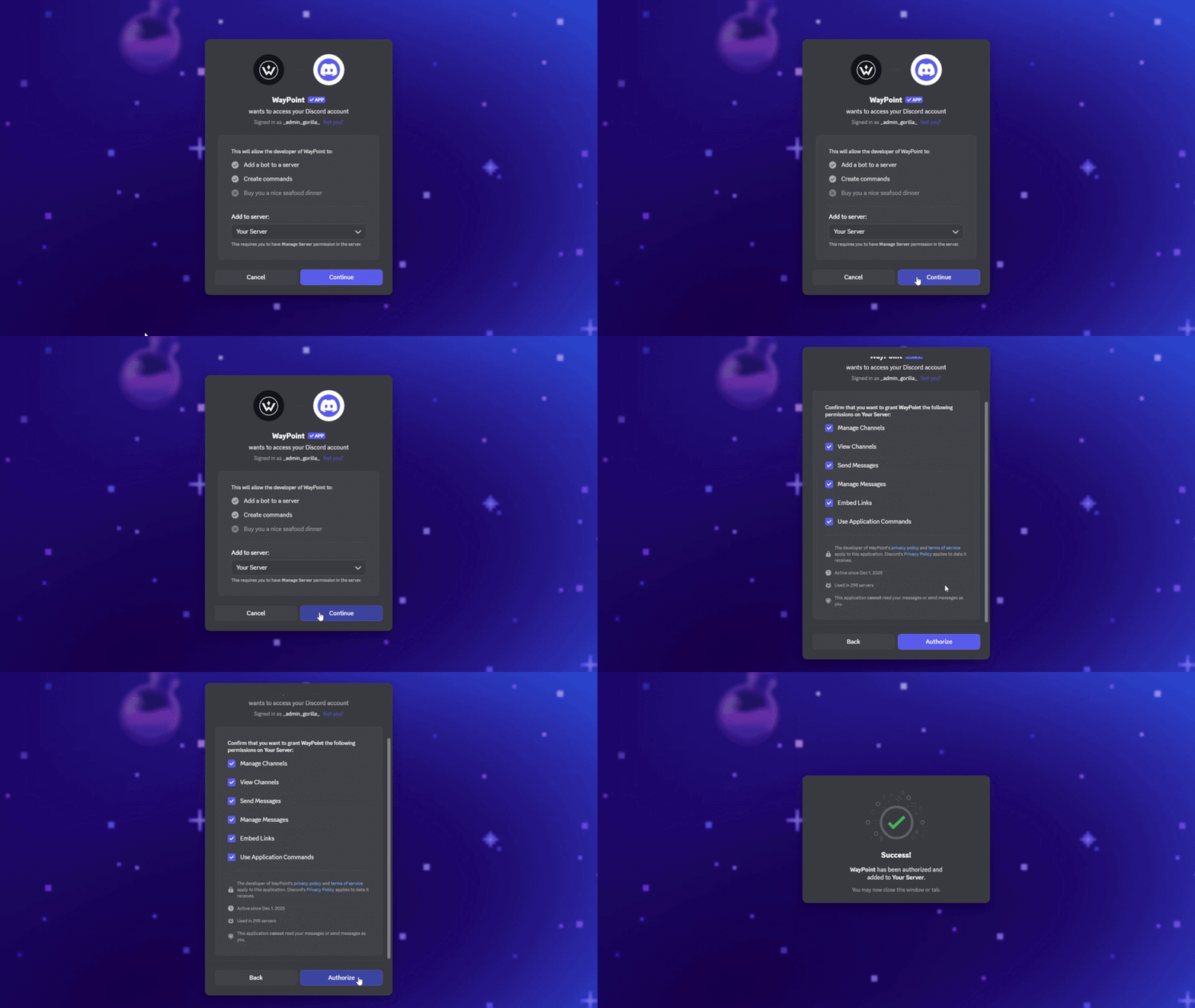
Create Channels
In Discord, type /setup and Waypoint will automatically create channels and roles.
You'll receive a confirmation message in the #summaries channel, along with a channel breakdown, commands, and more.
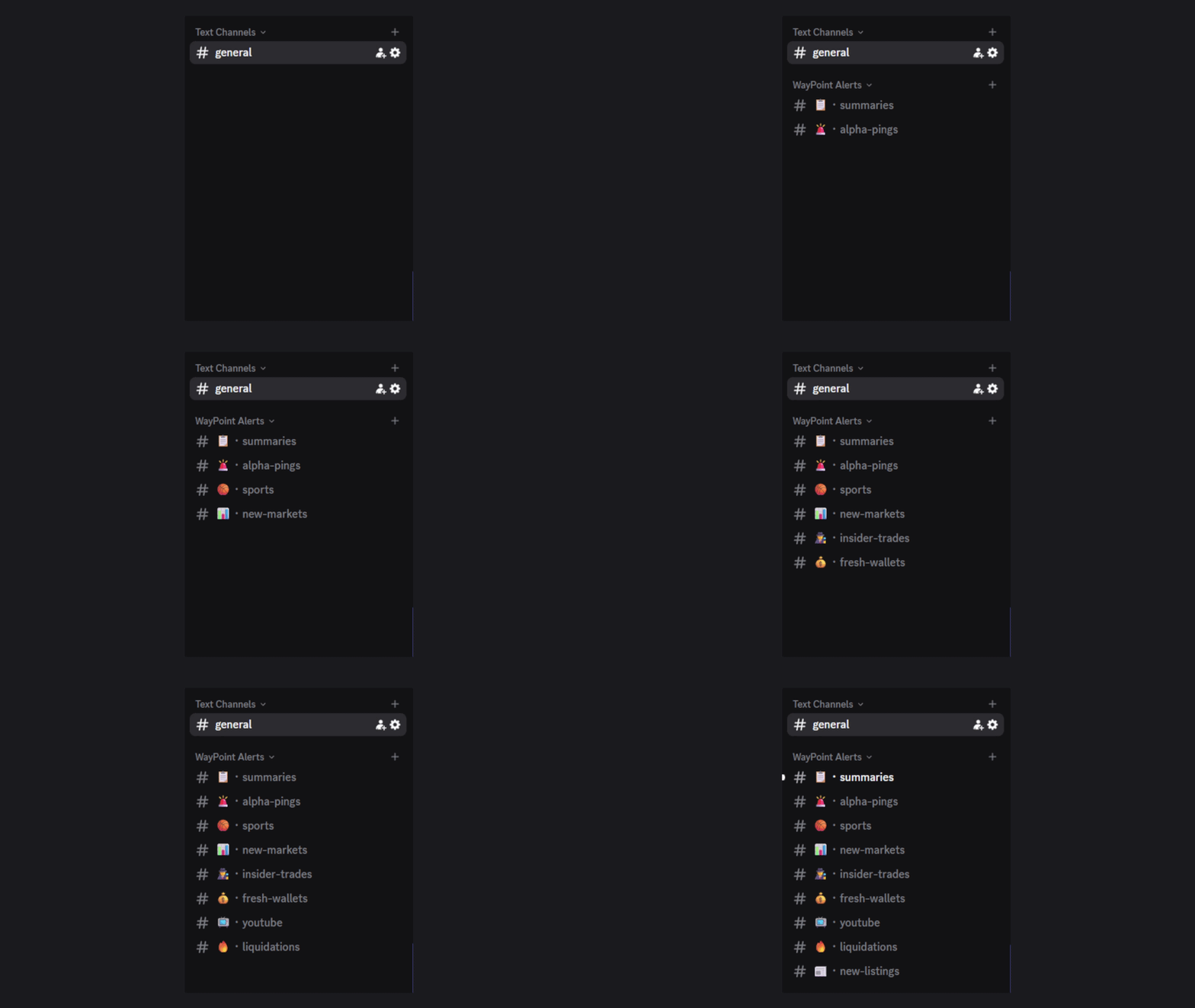
* If you didn't grant the requested permissions, the bot will not be able to complete this task.
Summaries
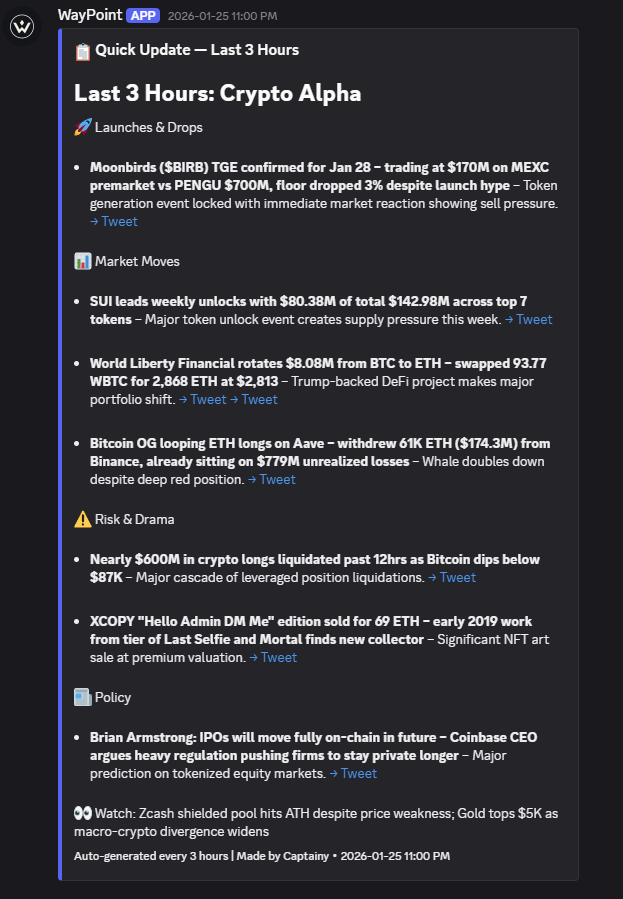
A concise overview of the crypto market: major news, key narratives, token launches, and notable market developments. Updated every 3 hours so you can stay caught up without scrolling timelines all day.
Setup
If you ran /setup this channel was already created automatically. To configure it manually:
In Discord, type /set_summary and select a channel (and optionally a role).
To set a custom ping role, use /set_role, select auto-summary, and select a role.
Example Summary:
Alpha Pings
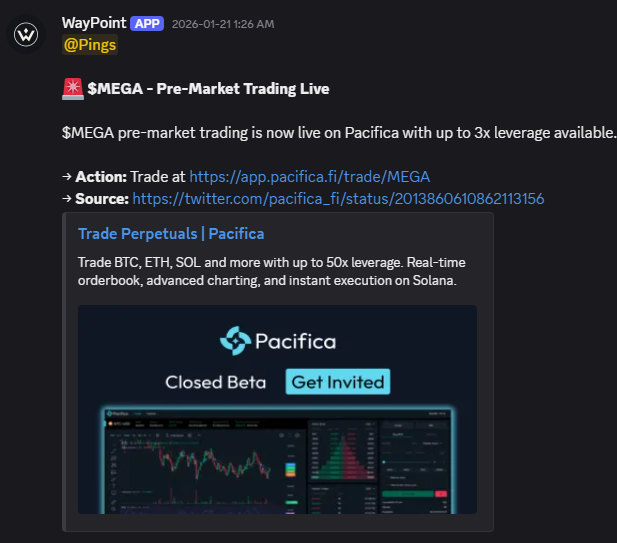
Time sensitive alerts you don't want to miss. Get pinged for important events, deadlines, submissions, airdrops, whitelists, and more so you can act before the window closes.
Setup
If you ran /setup this channel was already created automatically. To configure it manually:
In Discord, type /set_pings and select a channel (and optionally a role).
To set a custom ping role, use /set_role, select alpha pings, and select a role.
Example Alpha Ping:
Sports
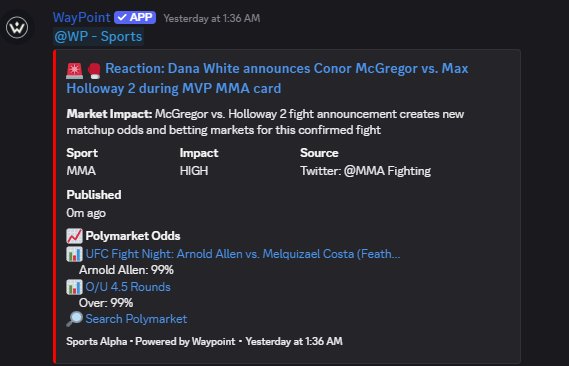
Real time sports alerts pulled from social media and breaking articles injuries, lineup changes, trades, and any news that moves a line. Each alert is matched with relevant Polymarket markets so you can see the impact and act on it before the odds catch up.
Setup
If you ran /setup this channel was already created automatically. To configure it manually:
In Discord, type /set_sports and select a channel (and optionally a role).
To set a custom ping role, use /set_role, select sports alerts, and select a role.
Example Sports Alert:
New Markets
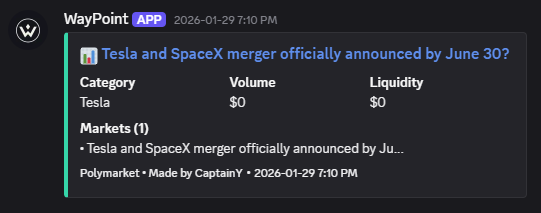
Get notified the moment a new market goes live on Polymarket. Catch fresh opportunities early, before liquidity builds and the odds settle.
Setup
If you ran /setup this channel was already created automatically. To configure it manually:
In Discord, type /set_newmarkets and select a channel (and optionally a role).
To set a custom ping role, use /set_role, select Polymarket New Markets, and select a role.
Example New Market Alert:
Insider Trades
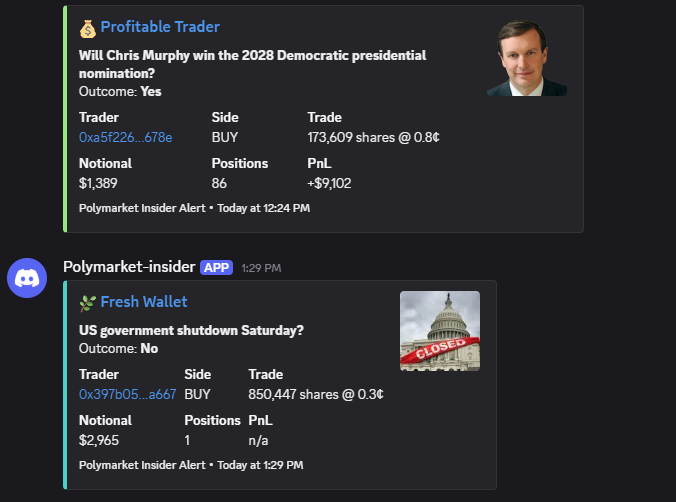
Flags Polymarket bets that look like someone might know something. We track wallets with strong historical hit rates taking sizable positions on low probability outcomes, plus brand new wallets doing the same a classic pattern when info is moving ahead of the market.
Setup
If you ran /setup this channel was already created automatically. To configure it manually:
In Discord, type /set_insider and select a channel (and optionally a role).
To set a custom ping role, use /set_role, select Polymarket Insider, and select a role.
Example Insider Alert:
Fresh Wallets
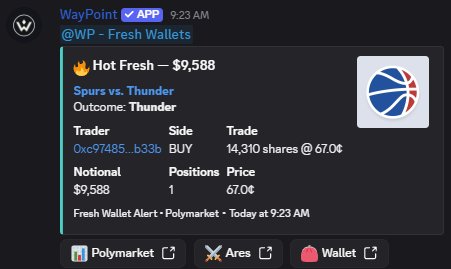
Tracks brand new Polymarket wallets making decent sized buys right out of the gate. Fresh accounts going in with conviction often signal someone who knows something, or at least thinks they do.
Setup
If you ran /setup this channel was already created automatically. To configure it manually:
In Discord, type /set_freshwallets and select a channel (and optionally a role).
To set a custom ping role, use /set_role, select fresh wallets, and select a role.
Example Fresh Wallet Alert:
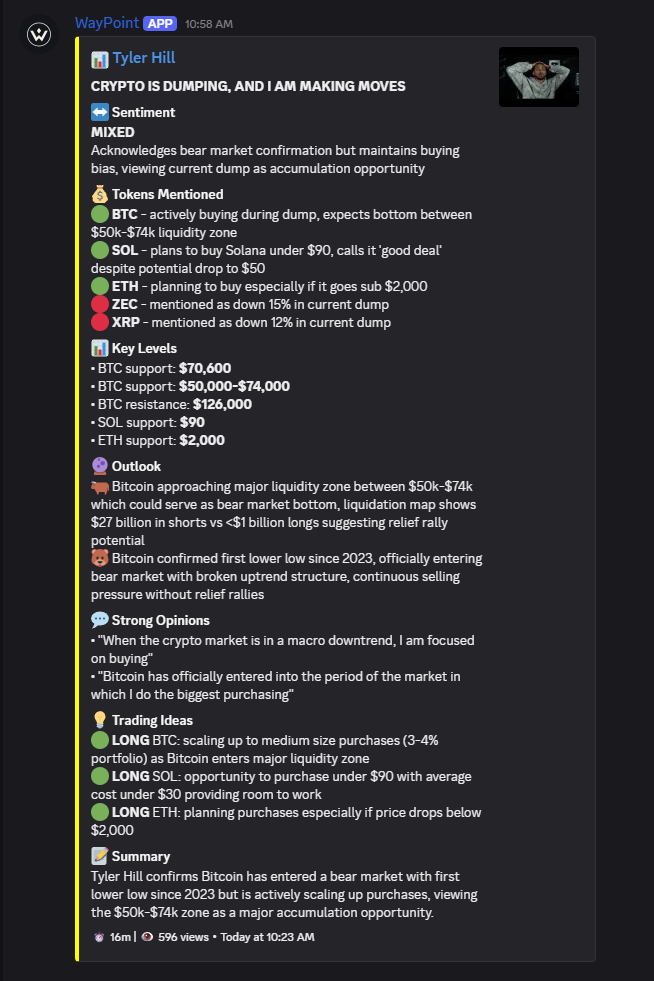
YouTube
Recaps from popular crypto YouTube channels as they drop, plus a rolled up summary every 12 hours that pulls out the common threads shared calls, recurring narratives, and what the loudest voices are aligned on.
Setup
If you ran /setup this channel was already created automatically. To configure it manually:
In Discord, type /set_youtube and select a channel (and optionally a role).
To set a custom ping role, use /set_role, select YouTube alerts, and select a role.
Example YouTube Alert:
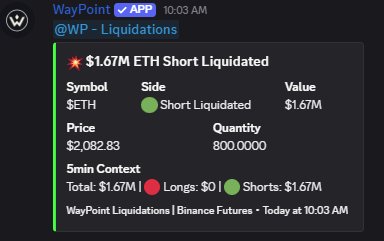
Liquidations
Real time alerts on sizable liquidations across major centralized exchanges. Spot forced selling and cascading moves as they happen, so you can read the pressure before the chart catches up.
Setup
If you ran /setup this channel was already created automatically. To configure it manually:
In Discord, type /set_liquidations and select a channel (and optionally a role).
To set a custom ping role, use /set_role, select liquidations, and select a role.
Example Liquidations Alert:
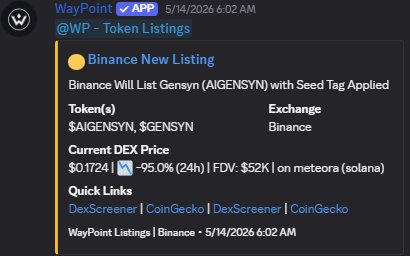
Token Listings
Instant alerts when a token gets listed on a top centralized exchange. Be in the conversation early before the volume spike, before the crowd.
Setup
If you ran /setup this channel was already created automatically. To configure it manually:
In Discord, type /set_listings and select a channel (and optionally a role).
To set a custom ping role, use /set_role, select new listings, and select a role.
Example Listings Alert:
Waypoint Red Setup
Here's how to set up the Waypoint Red bot in your Discord. Red is a separate bot built specifically for NFT mints and wallet tracking on Ethereum mainnet.
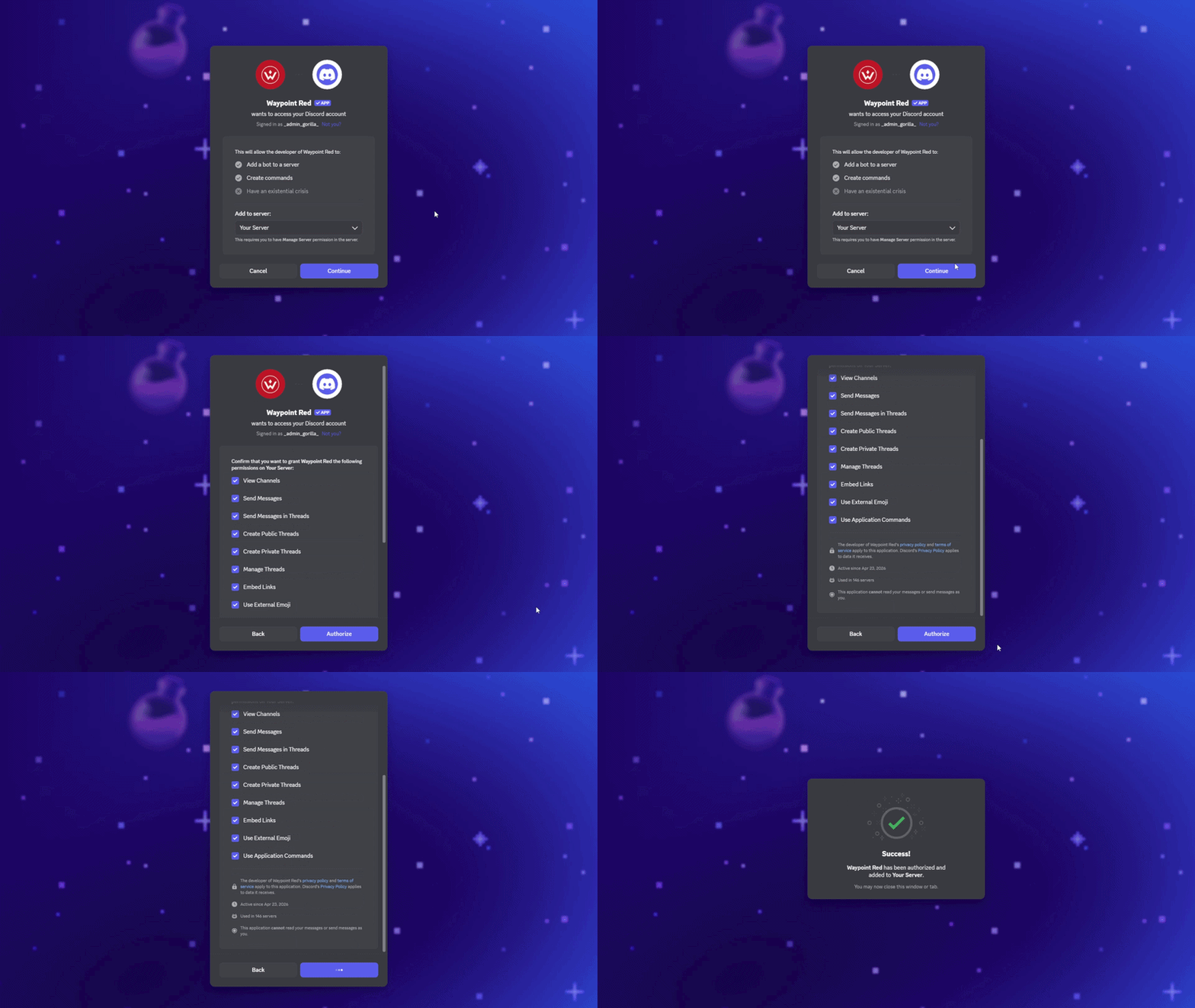
Add Waypoint Red
Invite the Waypoint Red bot to your Discord. Make sure you do not edit the permissions the web page will ask for they are completely needed for the bot to function properly.
Create Channels
In Discord, type /setup and Waypoint Red will automatically create channels and roles.
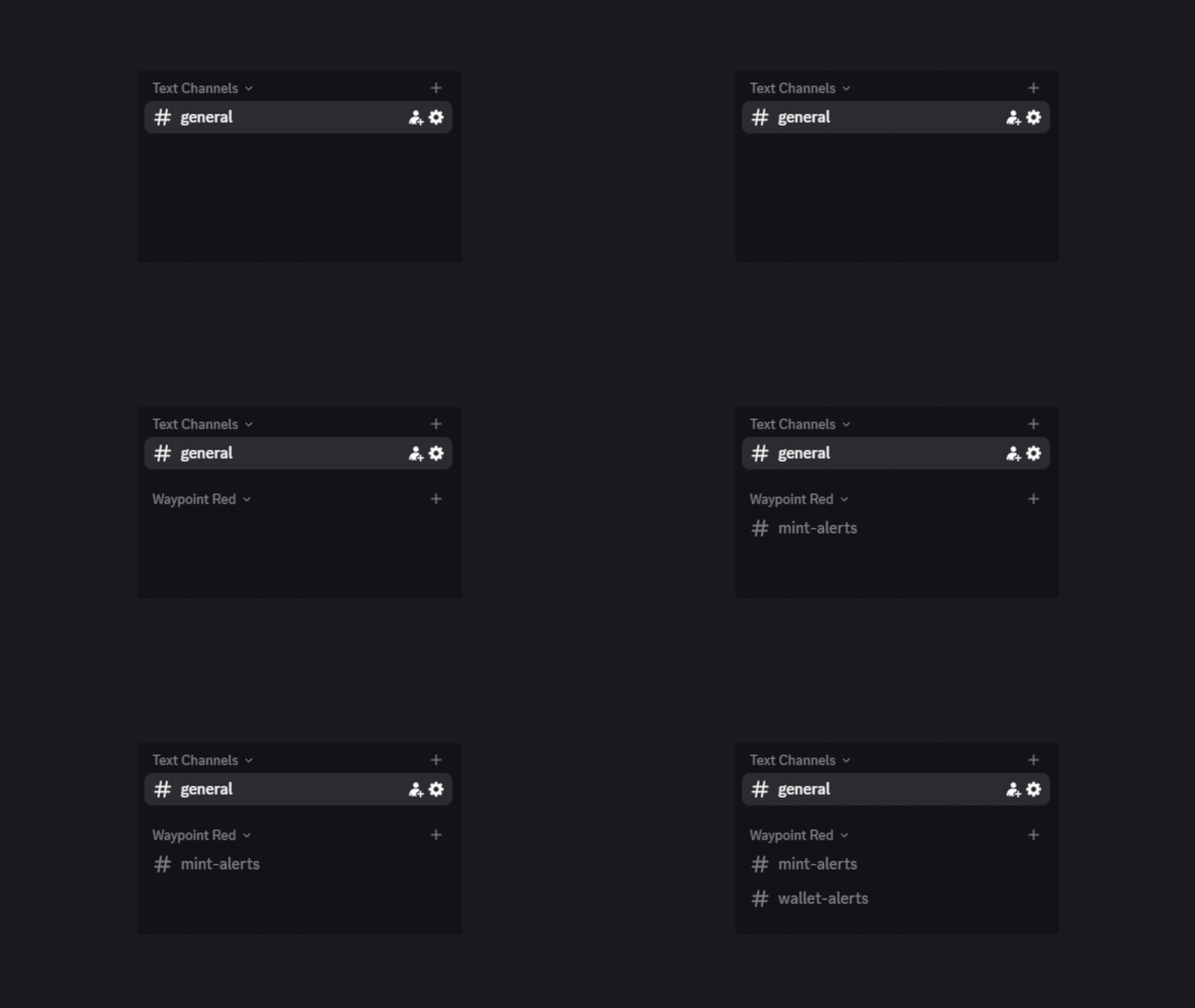
* If you didn't grant the requested permissions, the bot will not be able to complete this task.
Subscribe
Waypoint Red has three tiers. Choose the one that fits your server:
Track up to 2 wallets at no cost.
Track up to 10 wallets.
Unlimited wallets + Mint Scanner access. More features coming soon.
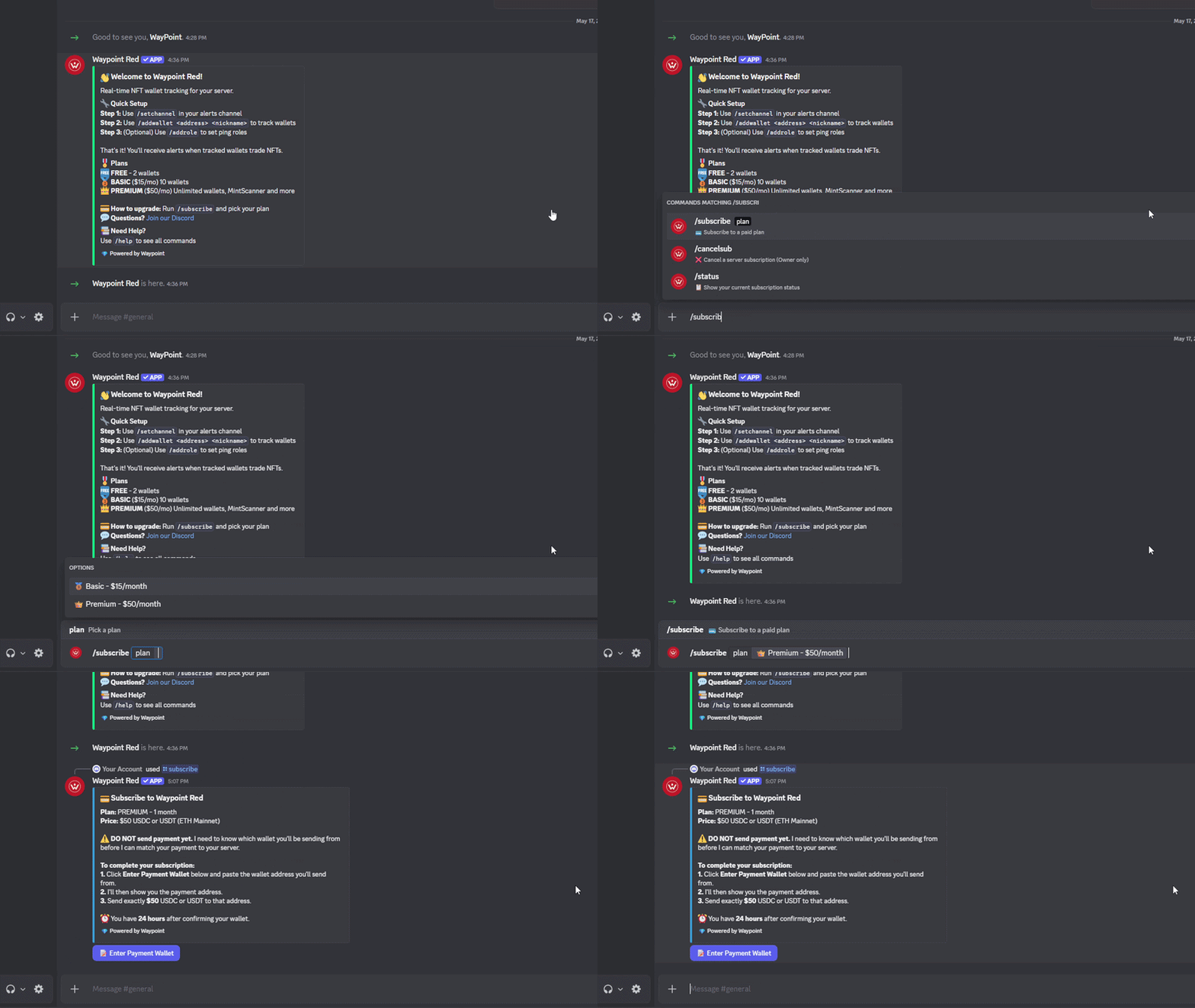
To access Basic or Premium, use /subscribe and follow the steps. Once your payment is received, you'll have access for the next 30 days.
Wallet Tracker
Manually add any wallets you want to follow and get pinged whenever they mint, buy, sell, transfer, or receive an airdrop. Perfect for keeping tabs on smart money, friends, or anyone whose moves you want to shadow.
Setup
If you ran /setup this channel was already created automatically. To configure it manually:
In Discord, type /settracker and select a channel (and optionally a role).
To set a custom ping role, use /setrole, select a role, and set the target to Wallet Alerts.
Additional Commands
| Command | Description |
|---|---|
| /addwallet <address> <nickname> | Add a single wallet to track. |
| /addwallets_csv <file>Premium | Bulk-add up to 100 wallets from a CSV file. |
| /deletewallet <identifier> | Remove a wallet by name or address. |
| /addrole <role> target:wallet | Add a ping role for wallet alerts. |
| /deleterole <role> target:wallet | Remove a wallet ping role. |
| /listwallets | Show all currently tracked wallets. |
| /starterpack | Bulk-add 20 famous NFT wallets in one command (Pranksy, Dingaling, gmoney, MACHI, xcopy, and more). |
Wallet Limits by Tier
Mint Scanner
Scans the Ethereum mainnet in real time for collections actively minting, surfacing them based on mint activity and progression. You'll also get alerts when teams adjust price or supply mid mint, so you can react to changes the moment they happen instead of finding out after the fact.
Setup
If you ran /setup this channel was already created automatically. To configure it manually:
In Discord, type /setmints and select a channel (and optionally a role).
To set a custom role for mint alerts, use /setrole, select a role, and set the target to Mint Scanner Alerts.
To set a custom role for price and supply change alerts, use /setrole, select a role, and set the target to Price & Supply Change Alerts.